

Our APIs
Index of every public Keboola API, the stacks and endpoints each one is served from, and how to call them with the API console, Postman or cURL.
All our Keboola services have a public API on api.keboola.com (opens in a new tab). We recommend using either the API Console or Postman Client for sending requests to our
API. Most of our APIs accept and return data in JSON format.
Many of these APIs require a Storage API token, specified in the X-StorageApi-Token header.
List of Keboola APIs
Section titled “List of Keboola APIs”All parts of the Keboola platform can be controlled via an API. The main APIs for our components are:
| API | Description |
|---|---|
| Keboola Storage API (opens in a new tab) (source (opens in a new tab)) | Storage is the main Keboola component storing all data. |
| Keboola Management API (opens in a new tab) | API managing Keboola projects and users (and notifications and features). |
| AI API (opens in a new tab) | API for supporting AI features. |
| Billing API (opens in a new tab) | Billing API for Pay as You Go projects. |
| Developer Portal API (opens in a new tab) | Developer Portal is an application separated from Keboola for creating components. |
| Editor API (opens in a new tab) | API for managing SQL editor sessions. |
| Encryption API (opens in a new tab) | Provides Encryption. |
| Importer API (opens in a new tab) | Importer is a helper service for easy table imports. |
| Notifications API (opens in a new tab) | API to subscribe to events, e.g., failed orchestrations. |
| OAuth Broker API (opens in a new tab) | OAuth Broker is a component managing OAuth authorizations of other components. |
| Query API (opens in a new tab) | Query is a service for running SQL queries on Snowflake and BigQuery. |
| Queue API (opens in a new tab) | Queue is a service for running components and managing Jobs. |
| Sandboxes Service API (opens in a new tab) | API for managing Apps and Python/R workspaces. |
| Scheduler API (opens in a new tab) | API to automate configurations. |
| Stream API (opens in a new tab) | The Keboola Stream API allows you to ingest small and frequent events into your project’s storage. |
| Synchronous Actions API (opens in a new tab) | API to trigger Synchronous Actions. |
| Vault (opens in a new tab) | Service handling variables & credentials storage. |
If you’re unsure which API to use, refer to our integration guide (opens in a new tab). It describes the roles of different APIs and contains examples of commonly performed actions.
Stacks and Endpoints
Section titled “Stacks and Endpoints”Keboola is available in multiple stacks, which can be either multi-tenant or single-tenant. Current multi-tenant stacks are:
- US Virginia AWS – connection.keboola.com (opens in a new tab)
- US Virginia GCP - connection.us-east4.gcp.keboola.com (opens in a new tab)
- EU Frankfurt AWS – connection.eu-central-1.keboola.com (opens in a new tab)
- EU Ireland Azure – connection.north-europe.azure.keboola.com (opens in a new tab)
- EU Frankfurt GCP - connection.europe-west3.gcp.keboola.com (opens in a new tab)
Each stack operates as an independent instance of Keboola services with its own data, users, and tokens.
Single-tenant stacks are available for a single enterprise customer, with a domain name
in the format connection.CUSTOMER_NAME.keboola.com.
For your own stack, the authoritative list of service hosts is the Storage API (opens in a new tab) index call, GET /v2/storage (no token needed), in its services array.
API Documentation Portals
Section titled “API Documentation Portals”The API documentation portal (api.*) is deployed independently per stack. Always use the portal
for your own stack — tokens are not valid across stacks, and using the wrong portal will cause
Invalid Token errors when trying out API calls.
| Stack | API Documentation Portal |
|---|---|
| US Virginia AWS | api.keboola.com (opens in a new tab) |
| EU Frankfurt AWS | api.eu-central-1.keboola.com (opens in a new tab) |
| EU Ireland Azure | api.north-europe.azure.keboola.com (opens in a new tab) |
| EU Frankfurt GCP | api.europe-west3.gcp.keboola.com (opens in a new tab) |
| US Virginia GCP | api.us-east4.gcp.keboola.com (opens in a new tab) |
Machine-Readable API Index
Section titled “Machine-Readable API Index”For agentic usage and tooling (AI agents, MCP servers, CI), each stack’s API portal also publishes a
machine-readable index of its APIs at https://api.<stack>/apis.json — for example,
api.keboola.com/apis.json (opens in a new tab). The index lists each available service with
its base apiUrl and a link to its OpenAPI specification (openApiSpecUrl), so tools can discover and load
the specs programmatically:
{ "stack": "keboola.com", "services": [ { "id": "storage", "name": "Storage API", "apiUrl": "https://connection.keboola.com", "openApiSpecUrl": "https://api.keboola.com/specs/storage.json" } ]}The index is stack-specific (excluded services are omitted). The raw specs under /specs/ keep their original
servers, so consumers should use the apiUrl from the index as the base URL. The openApiSpecUrl extension
mirrors the source document (.json or .yaml) — use the exact URL from the index rather than assuming one.
Service Endpoints
Section titled “Service Endpoints”If you are calling the APIs directly (not through the portal), modify the hostname accordingly.
Otherwise, you may encounter Invalid Token or unauthorized errors. The authoritative list of available endpoints is provided by the Storage API Index Call (opens in a new tab). The following is a sample response:
{ ..., "services": [ { "id": "import", "url": "https://import.keboola.com" }, { "id": "oauth", "url": "https://oauth.keboola.com" }, { "id": "queue", "url": "https://queue.keboola.com" }, { "id": "billing", "url": "https://billing.keboola.com" }, { "id": "encryption", "url": "https://encryption.keboola.com" }, { "id": "scheduler", "url": "https://scheduler.keboola.com" }, { "id": "sync-actions", "url": "https://sync-actions.keboola.com" }, { "id": "notification", "url": "https://notification.keboola.com" } ],}The services listed above are:
import— Storage Importer Serviceoauth— OAuth Manager Servicequeue— Service for Running Componentsbilling— Service for Computing Creditsencryption— Service for Encryptionscheduler— Service for Configuring Schedulessync-actions— Service for Running Synchronous Actionsnotification— Service for Configuring Job Notifications
For convenience, the following table lists active services and their URLs, though for an authoritative answer and in application integrations, we strongly suggest using the above API call.
Calling API
Section titled “Calling API”There are several ways to send requests to our APIs:
Apiary Console
Section titled “Apiary Console”Send requests to our API directly from the Apiary console by clicking on Switch to console or Try. Fill in the request headers and parameters, then click Call Resource.
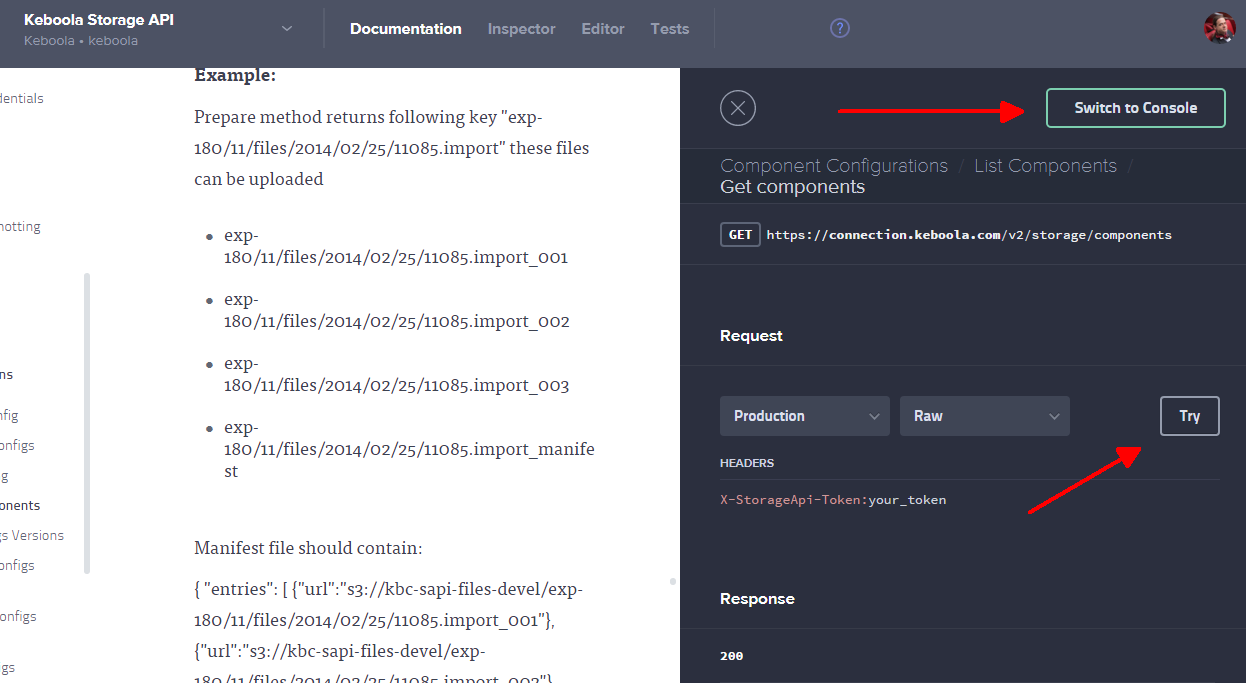
The Apiary console is fine if you send API requests only occasionally. It requires no application installation; however, it has no history and no other useful features.
Postman Client
Section titled “Postman Client”Postman (opens in a new tab) is a generic HTTP API client, suitable for more regular API work. We also provide a collection of useful API calls (opens in a new tab) with examples. The collection contains code examples in various languages; the requests can also be imported into the Postman application.
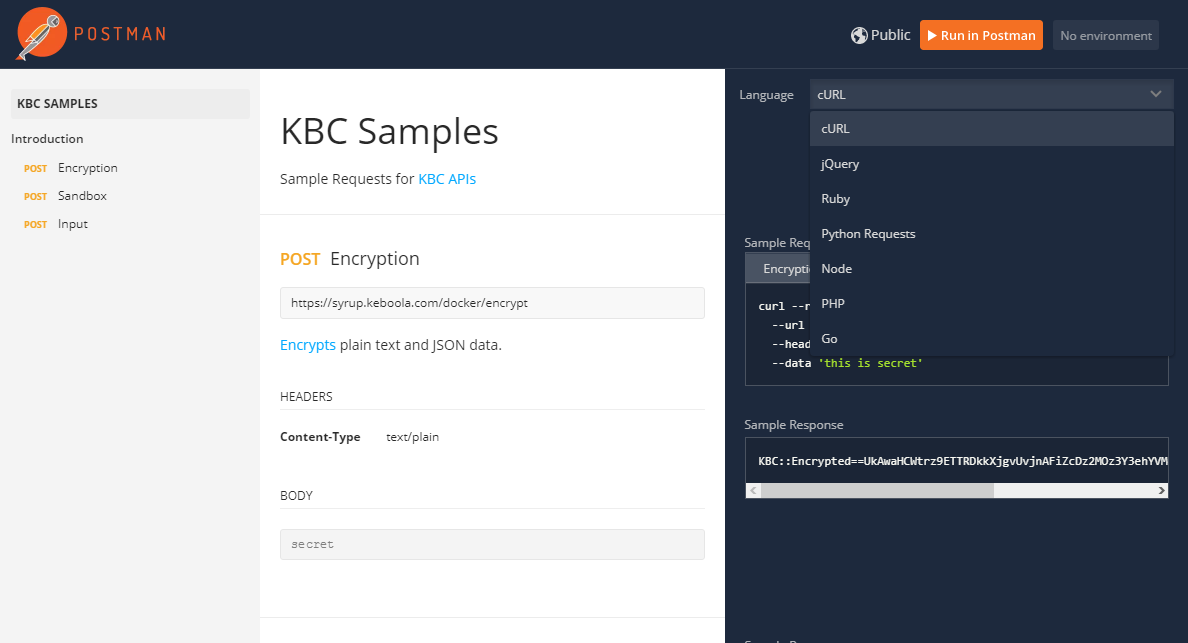
cURL (opens in a new tab) is a common library with a command-line interface (CLI) (opens in a new tab). You can use the cURL CLI to create simple scripts for interacting with Keboola APIs. For example, to run a job:
curl --location --request POST 'https://queue.keboola.com/jobs' \--header 'X-StorageApi-Token: YourStorageToken' \--header 'Content-Type: application/json' \--data-raw '{ "mode": "run", "component": "keboola.ex-db-mysql", "config": "sampledatabase"}'