
LinkedIn Pages
This data source connector downloads data from the LinkedIn Pages API (opens in a new tab) related to organizations, their posts, and statistics about performance of their pages, as well as tables of enumerated types used therein.
Configuration
Section titled “Configuration”Create a new configuration of the LinkedIn Pages connector.
Global Configuration
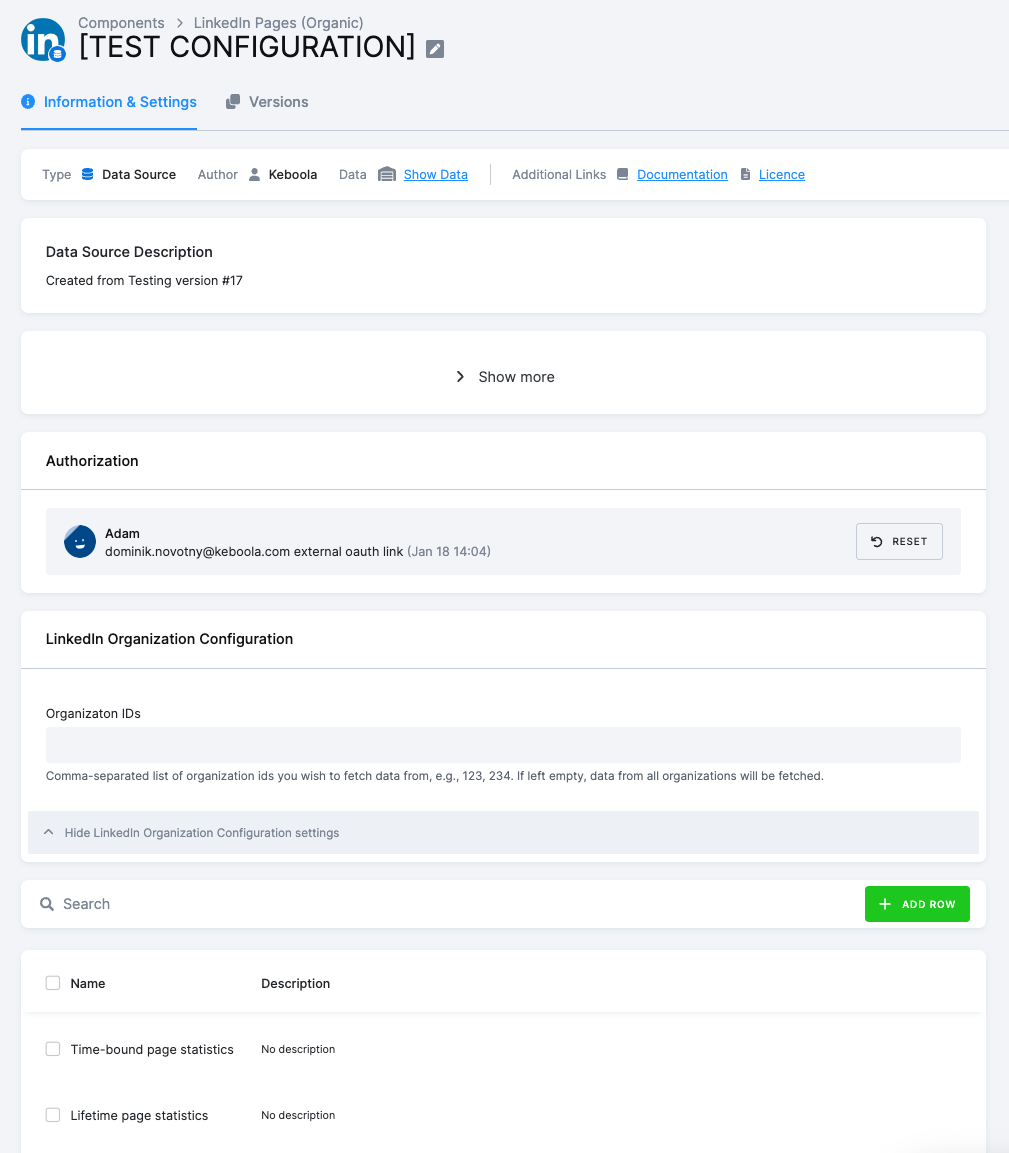
Section titled “Global Configuration”To configure this connector, you need to authenticate with a LinkedIn Profile using OAuth. More info on this topic can be found in LinkedIn API Documentation (opens in a new tab).
- Organization IDs (organizations) - [OPT] Comma-separated list of organization IDs you wish to fetch data from, e.g., 123, 234. If left empty, data from all organizations will be fetched.
Row Configuration
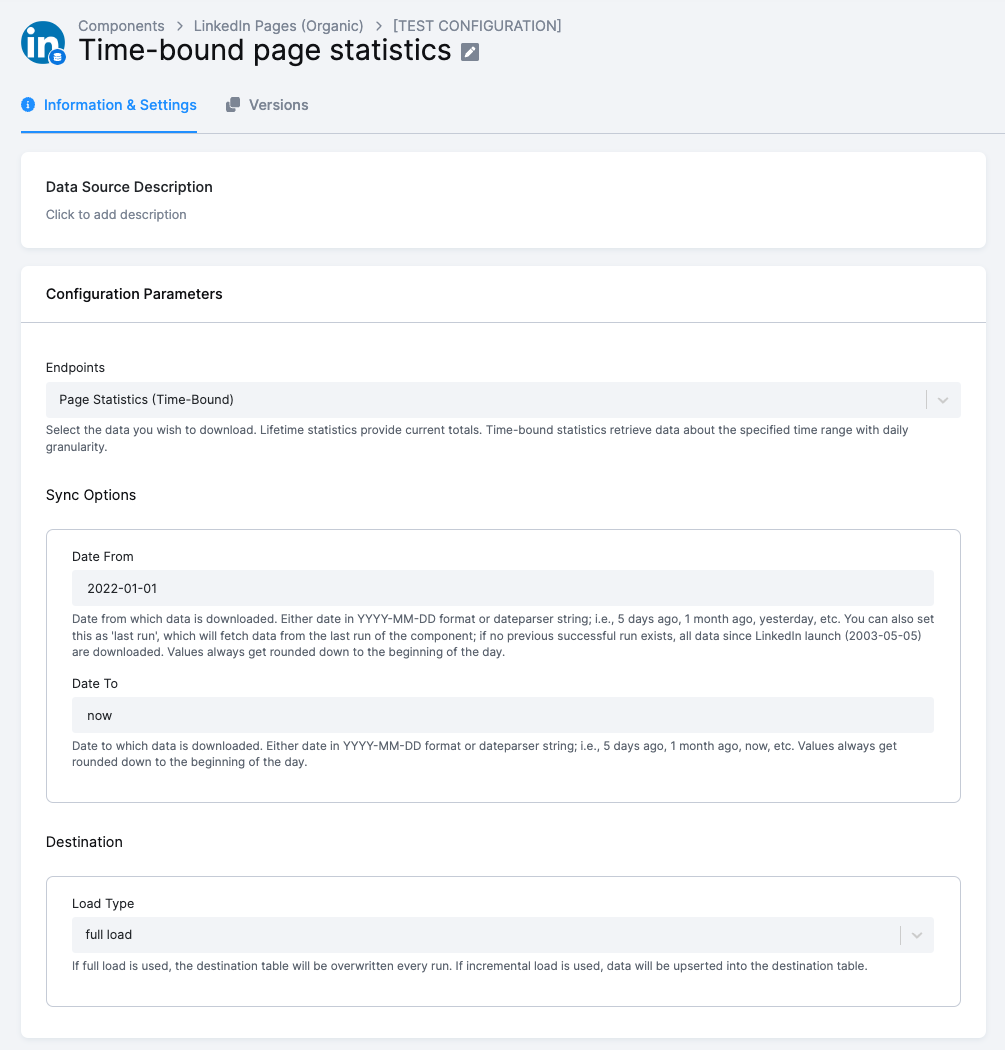
Section titled “Row Configuration”- Endpoints (endpoints) - [REQ] Select the data you wish to download. Lifetime statistics provide current totals. Time-bound statistics retrieve data about the specified time range with daily granularity. This must be one of these:
- Page Statistics (Time-Bound) to download time-bound Organization Page Statistics (opens in a new tab). The time range is determined by Sync Options (see below).
- Page Statistics (Lifetime) to download lifetime Organization Page Statistics (opens in a new tab).
- Follower Statistics (Time-Bound) to download time-bound Organization Follower Statistics (opens in a new tab). The time range is determined by Sync Options (see below).
- Follower Statistics (Lifetime) to download lifetime Organization Follower Statistics (opens in a new tab).
- Share Statistics (Time-Bound) to download time-bound Organization Share Statistics (opens in a new tab). The time range is determined by Sync Options (see below).
- Share Statistics (Lifetime) to download lifetime Organization Share Statistics (opens in a new tab).
- Posts to download data about posts, their comments, and their likes.
- Enumerated Types to download tables of enumerated types used in other data tables.
- Organizations to download data about organizations themselves.
- Sync Options (sync_options) [REQ] - Options pertaining to only time-bound data extraction:
- Date From (date_from) - [REQ] Date from which data is downloaded. Either date in
YYYY-MM-DDformat or dateparser string; i.e.,5 days ago,1 month ago,yesterday, etc. You can also set this aslast run, which will fetch data from the last run of the component; if no previous successful run exists, all data since LinkedIn launch (2003-05-05) are downloaded. Values always get rounded down to the beginning of the day. - Date To (date_to) - [REQ] Date to which data is downloaded. Either date in
YYYY-MM-DDformat or dateparser string; i.e.,5 days ago,1 week ago,now, etc. Values always get rounded down to the beginning of the day.
- Date From (date_from) - [REQ] Date from which data is downloaded. Either date in
- Destination (destination) - [REQ] Options specifying how to save extracted data into Keboola Storage:
- Load Type (load_type) - [REQ] If full load is used, the destination table will be overwritten every run. If incremental load is used, data will be upserted into the destination table.
Configuration example: